A real invoice, generated in seconds, not scribbled on a receipt pad
Every completed job turns into a professional, itemized invoice automatically — labor, parts, and fees broken out clearly. Mark it paid once you're settled up. Torqued doesn't process payments — your customer keeps paying you however they already do, cash, check, Zelle, their own card reader, whatever works for you both.
Quick Overview
Generate a professional, itemized invoice straight from the completed job — labor, parts, and fees broken out automatically.
Mark a job 'Paid' once you're settled up so your records stay current — Torqued doesn't process the payment itself.
Track real margin per job — parts cost vs. markup and labor revenue, tracked automatically for your own records.
yourshop.torqued.app/admin/jobs/J-1042
Invoice
Job #J-1042 · T. Davis
Labor: Brake replacement
$120.00
Parts: Brake pads (set)
$62.00
Travel fee
$25.00
Total
$207.00
Invoice in seconds, not paperwork
Generate a professional invoice from the completed job instantly — no separate invoicing software, no manual math.
Every job itemized
Labor, parts, and fees are broken out automatically so customers see exactly what they're paying for.
Know your real margin
Parts cost vs. markup and labor revenue are tracked per job, so you always know what a job actually earned you.
Mark jobs paid to stay organized
Once you're settled up with a customer, mark the job paid — your revenue tracking and job history stay accurate.
A clean paper trail
Every invoice is tied to its job record, ready when you need it for taxes or bookkeeping.
Professional, not improvised
A real invoice — not a text with a total scribbled in — makes your business look as legit as the work you do.
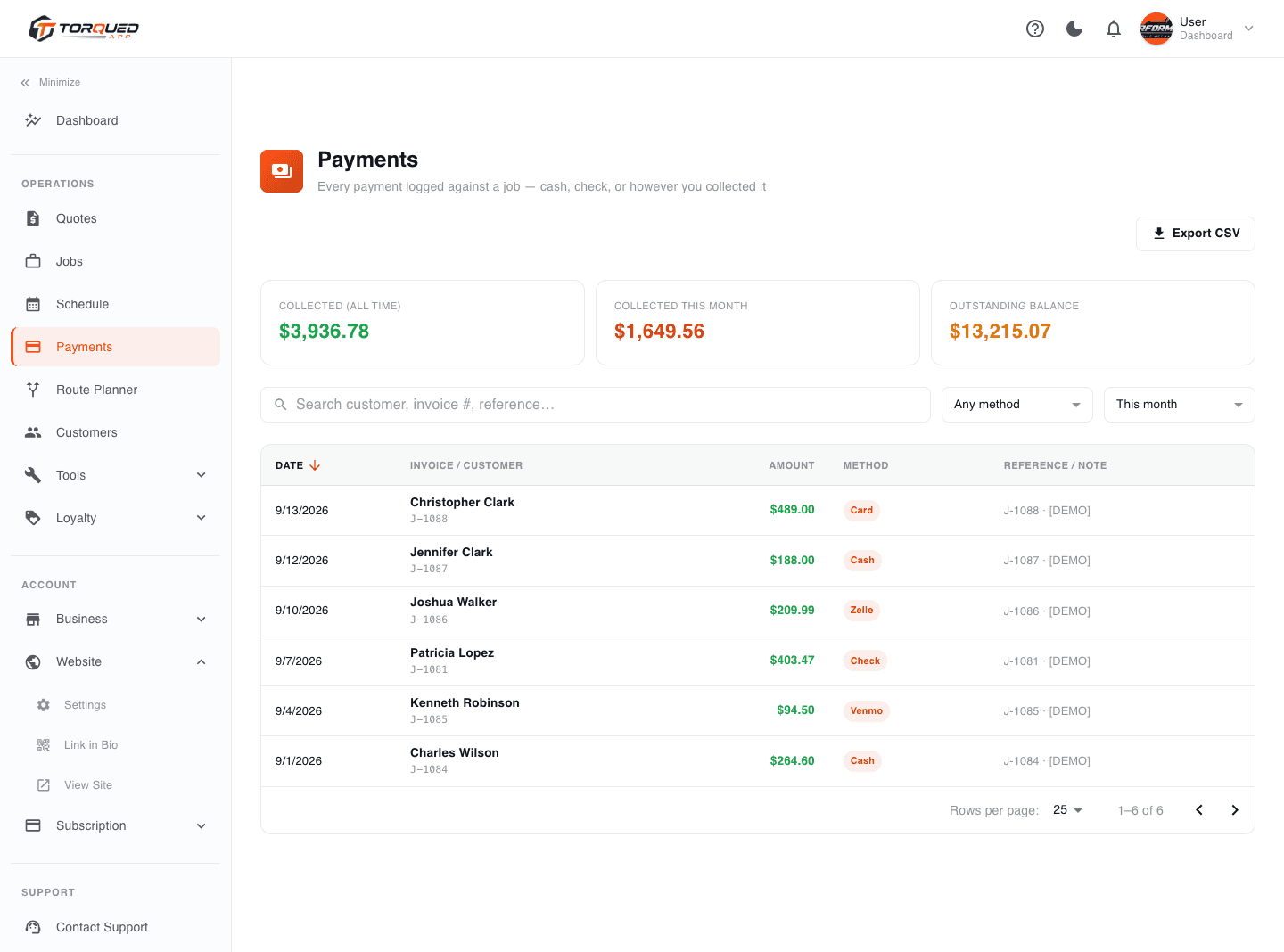
See revenue across every job, not just one invoice at a time
Your dashboard rolls up active jobs and this week's revenue automatically — so you know how the business is doing without exporting a spreadsheet. This is all built from your own job records; no bank or card processor connection required.
yourshop.torqued.app/admin/payments
From completed job to a clean invoice
01
Job gets marked complete
You close out the job in the app once the work is done — right from the driveway.
02
Invoice generates automatically
Labor, parts, and any fees are itemized from the job record — nothing re-typed.
03
Customer pays you directly
Cash, check, Zelle, your own card reader — however you already collect payment, outside of Torqued.
04
You mark it paid
One click updates the job status so your own records and revenue tracking stay accurate.
Questions we hear a lot
Does Torqued process payments or charge customers' cards?
No. Torqued doesn't process payments or integrate with any payment processor. It generates the invoice and tracks your job revenue — your customer pays you directly, however you already accept payment (cash, check, Zelle, your own card reader, etc.).
How do I record that a job's been paid?
Once you've been paid outside the app, mark the job as 'Paid' — this updates your own revenue tracking and job history, it doesn't move any money.
Is my margin tracked automatically?
Yes — parts cost, markup, and labor revenue are calculated per job the moment it's invoiced, for your own records.
Can I send an invoice for a job that wasn't quoted through Torqued?
Yes — you can create a job and generate an invoice manually, it doesn't have to originate from an online quote.
Ready to stop scribbling invoices on a receipt pad?
Get professional invoicing live today — 14-day free trial, cancel anytime before it ends.
Start Free Trial